

TweakPower is an all-in-one PC optimization software designed to clean, accelerate, and protect your Windows system. Whether you’re dealing with a slow PC, unwanted junk files, or system errors, TweakPower provides an intuitive and powerful solution for maintaining peak performance.
It provides tools for removing unnecessary files, adjusting system settings, monitoring Windows components, and performing routine maintenance from a centralized interface. Users looking for another Windows maintenance utility can also explore Wise Care 365 Pro.
TweakPower brings several Windows management functions together in one application, making it useful for users who prefer having cleaning, optimization, privacy, and system configuration tools available from a single dashboard. It can be used alongside other utilities such as Advanced System Repair Pro when working on general Windows maintenance tasks.
It is an intelligent software tool that allows users to fine-tune their operating systems and programs for optimum performance. It protects users from PC problems while increasing the performance and security of their computers.
Features of TweakPower
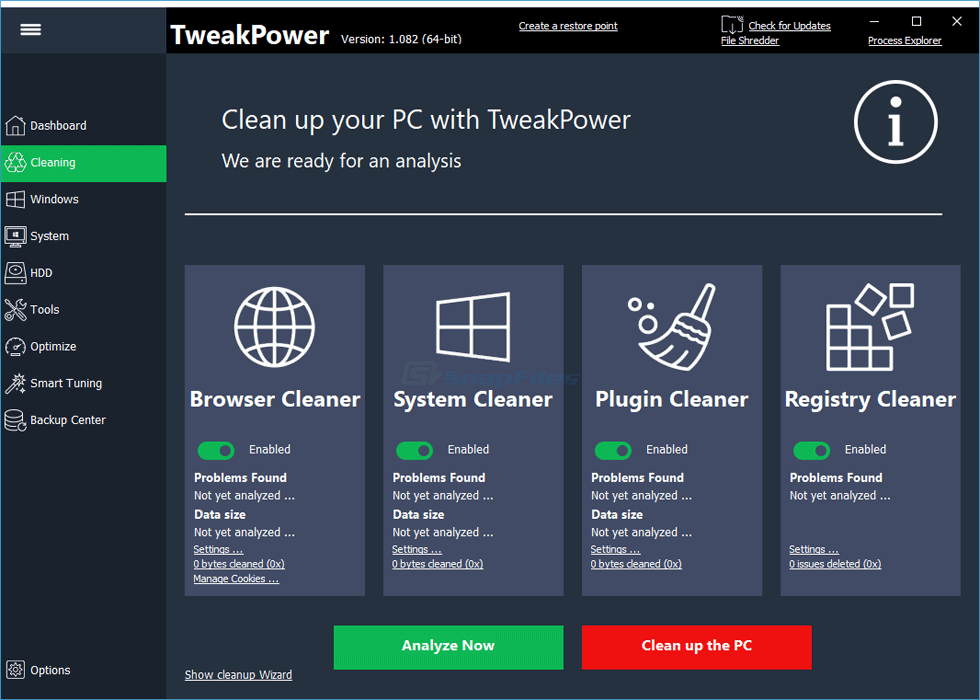
- Clean up
- System Maintenance
- Customize Windows
- Communication
- Economy Mode
- Turbo Mode
- System Settings
- Security
- Data backups
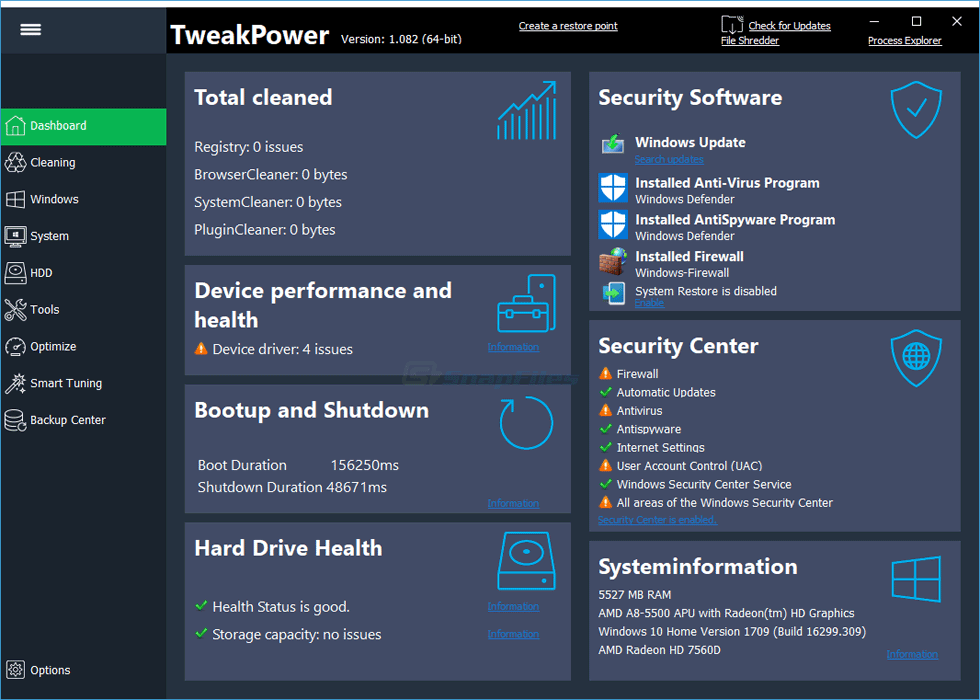
Screen Shots
System Requirements
- Supported OS: Windows 11, Windows 10, Windows 8.1, Windows 7
- RAM (Memory): 2 GB RAM (4 GB recommended)
- Free Hard Disk Space: 200 MB or more
Why I Recommend
TweakPower 2.073 can be useful for Windows users who want several maintenance and configuration tools in one application. Instead of relying entirely on separate utilities for cleaning, system information, privacy settings, and Windows adjustments, users can access these functions through a single interface. You can also explore the System Tools category for more Windows utilities.
Another useful aspect is the range of settings available for users who want to inspect or customize their Windows environment. The software can be helpful for routine maintenance, especially when a computer has accumulated temporary files or when users want to review various system options in one place.
Before applying advanced tweaks, it is sensible to understand what each setting changes and keep backups of important files. System optimization software can provide convenient access to Windows configuration, but unnecessary changes to important system settings can also create problems if they are applied without understanding their effect.
-
You May Also Like
Technical Details
- Software: TweakPower
- Version: 2.073
- Platform: Windows
- Category: System Tools
- Primary use: System maintenance, optimization, cleanup, and configuration
- Developer: TweakPower
Download Information
Download | Size: 20.97 MB | Pass: Mazterize.in


