

Edge Blocker 2.1 is a small Windows utility developed by Sordum that helps users block Microsoft Edge from launching. It provides a simple interface with options to block or unblock the browser without manually changing Windows settings. If you’re looking for other Windows management tools, you can also check Windows Update Blocker, which helps control automatic Windows updates.
Microsoft Edge comes preinstalled on modern versions of Windows. Some users prefer another browser and want to prevent Edge from opening when they click certain links or use Windows features. Edge Blocker provides a quick way to restrict access to the browser. Another useful utility is TweakNow WinSecret Plus, which provides additional Windows customization options.
Edge Blocker is designed for people who want more control over their Windows environment. The program is lightweight and doesn’t require a complicated setup. Its main purpose is to apply or remove restrictions that affect Microsoft Edge.
Version 2.1 continues the program’s focus on straightforward browser control. The utility is especially relevant to Windows users who prefer Chrome, Firefox, or another browser. However, Windows updates can change how Edge restrictions behave, so results may vary depending on your Windows version.
Key features
- Block Microsoft Edge: Restrict the browser from launching through supported Windows methods.
- Unblock option: Remove the restriction when you want to use Microsoft Edge again.
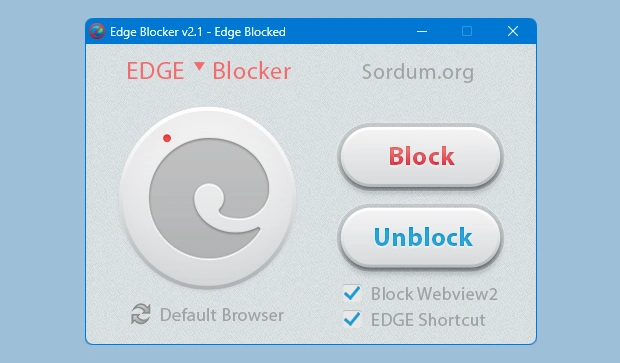
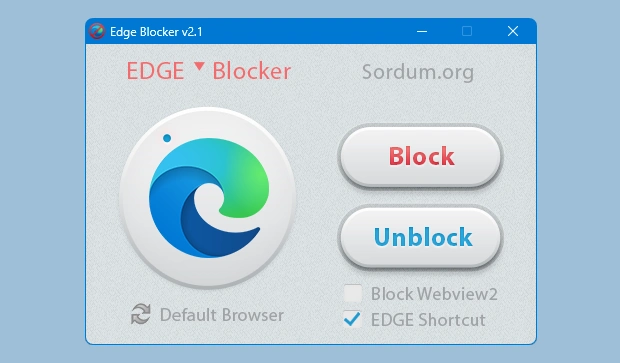
- Simple interface: Access the main blocking controls from a compact program window.
- Lightweight utility: Uses minimal storage space compared with larger Windows customization applications.
- Portable operation: Designed to run without a conventional software installation.
- Quick configuration: Apply the available browser restrictions without manually editing system settings.
- Reversible changes: Restore Edge access through the utility’s unblock function.
- Freeware: Available without purchasing a software license.
ScreenShots
System requirements
- Operating system: Windows 10 or Windows 11, subject to compatibility with the installed build.
- Processor: Compatible Intel or AMD processor.
- RAM: No substantial additional memory requirement beyond Windows itself.
- Storage: A small amount of free disk space.
- Permissions: Administrator access may be required to apply system-level restrictions.
- Internet: Required to download the utility, but generally unnecessary for its basic local controls.
Check the developer’s documentation before using Edge Blocker on a recently updated version of Windows. Microsoft occasionally changes browser integration and security behavior, which can affect third-party blocking utilities.
Why I recommend Edge Blocker
Edge Blocker is useful for Windows users who want a dedicated control for Microsoft Edge. The interface keeps the process simple, with blocking and unblocking available from the same application. You don’t need to search through several Windows settings whenever you want to change the restriction.
The ability to reverse changes is particularly useful. If a Windows feature or application needs Microsoft Edge, you can try restoring browser access through the program. Blocking Edge may interfere with links, widgets, help pages, or applications that depend on Microsoft’s browser components.
For more utilities that help manage Windows settings, browse the System Tools category. Before changing browser restrictions, create a restore point and make sure your preferred browser is already installed and configured as the default.
You may also like
- Defender Remover – A utility for managing the removal of certain Windows security components. Use it carefully because removing protection can expose your computer to threats.
- TweakPower – A Windows maintenance and customization utility with options for managing system settings.
Technical details
- Software name: Edge Blocker
- Version: 2.1
- Developer: Sordum
- Category: Windows system utility
- Platform: Microsoft Windows
- License: Freeware
- Installation: Portable utility
- Primary function: Block or unblock Microsoft Edge
- Interface: Graphical user interface
Download information
Download | Size: 1.21 MB | Mazterize.in
