

Installing an older Windows application only to get hit with a missing runtime error is one of the most common troubleshooting calls I still get. Half the time the fix is as simple as installing the right version of .NET Desktop Runtime, but plenty of legacy software specifically needs the older .NET Framework line instead of the newer cross-platform .NET runtime.
.NET Framework 4.7.2 is exactly that older line, and it’s still relevant because so much Windows software was built against it. It’s developed by Microsoft, and this release is a highly compatible, in-place update that covers .NET Framework 4 through 4.7.1, meaning installing 4.7.2 effectively updates any of those earlier versions on your system. I keep DirectX End-User Runtime installed alongside it, since between the 2 of them, most older Windows applications and games stop throwing missing component errors entirely.
What makes 4.7.2 specifically worth grabbing over an even older release is the developer-facing improvements bundled into it, even if you’re not writing code yourself. It added dependency injection support for ASP.NET Web Forms applications, cryptographic improvements for RSA and DSA object handling, and fixes for WPF applications using ClickOnce deployment with modern high-DPI display settings. If you’re running any business software built on Web Forms or WPF, those under-the-hood changes are often the difference between an app running smoothly and one that behaves oddly on a modern display.
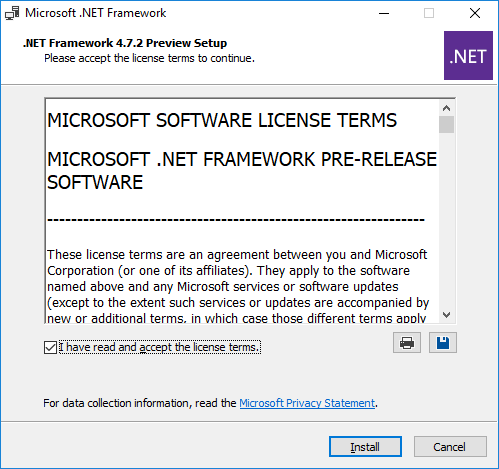
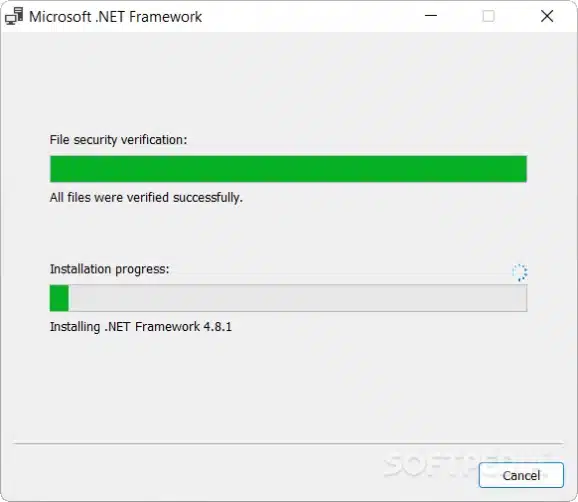
Installation runs through either a small web installer that only downloads the components your system needs, or a full offline installer for machines without a reliable connection. It runs side by side with .NET Framework 3.5 SP1 and earlier, so installing it won’t break older software that specifically depends on those earlier runtimes.
Key Features Of Net Framework 4.7 2
- Improved High DPI Support: Better scaling for high-resolution displays.
- Enhanced Security: Updated TLS 1.2 and encryption algorithms for modern protection.
- Performance Boost: Faster application startup and reduced memory usage.
- ASP.NET Improvements: Enhanced support for web forms and MVC frameworks.
- Windows Presentation Foundation (WPF): Improved rendering and touch support.
- Windows Communication Foundation (WCF): More secure data transfer protocols.
- Backward Compatibility: Supports applications built with older .NET versions.
- Easy Deployment: Simple setup for both developers and end-users.
ScreenShots
System Requirements
- Operating System: Windows 7 SP1 / 8 / 8.1 / 10 / 11 (32-bit or 64-bit)
- Processor: 1 GHz or faster
- RAM: 512 MB minimum (1 GB recommended)
- Storage: 2 GB free disk space
- Display: 1024×768 resolution or higher
- Internet: Required for online installation and updates
Why I Recommend
The in-place update behavior is what makes this one worth installing even if you’re not sure exactly which .NET Framework version you already have. Since it updates 4 through 4.7.1 directly, you don’t need to track down and uninstall an older version first, it just replaces what’s there.
For anyone running older business or line-of-业务 desktop software, and yes, that includes a lot of internal tools companies still rely on, this specific version fixes real display and deployment bugs that showed up once high-DPI monitors became standard. That’s a practical reason to make sure you’re on 4.7.2 specifically rather than an earlier 4.x release.
If you’re troubleshooting missing runtime errors on an older machine, it’s worth checking our System Tools section for other redistributables and runtimes that commonly get requested alongside this one.
Other Software You May Like
Download Information
File Name: NDP472-KB4054530-x86-x64-AllOS-ENU.exe
Version: 4.7.2
Developer: Microsoft Corporation
License Type: Freeware
Setup Type: Offline Installer
Compatibility: Windows 7 / 8 / 10 / 11 (32-bit & 64-bit)
Summary
NET Framework 4.7.2 is a must-have component for running modern Windows applications. It improves performance, stability, and compatibility while offering enhanced support for high DPI displays, secure connections, and web-based technologies. Perfect for both end-users and developers, it ensures smooth execution of all .NET-powered software.
Net Framework 4.7 2 Download
Download – 80 MB / v4.7.2


