

ChatGPT Desktop Most users are tired of hunting through dozens of open browser tabs just to find their AI assistant. ChatGPT Desktop 1.1.0 changes that. It brings the power of OpenAI directly into the operating system. This isn’t just a simple wrapper for the website. It feels like a tool built for people who actually work on their computers all day. We have seen a shift in how professionals interact with AI. Efficiency matters more than ever. Having a dedicated app means you aren’t fighting for resources with Chrome or Edge. It stays ready.
The move to a native application environment allows for deeper integration. You can trigger the interface with a keyboard shortcut and get back to work immediately. This version addresses several stability issues found in earlier builds. It feels snappier. The window management is more intuitive. For a pro user, these small friction points often determine whether a tool stays in the workflow or gets deleted. This update solidifies its place on the taskbar.
I found that the background processing is significantly better here than in a standard browser window. It doesn’t time out as often during long computations or creative writing sessions. The interface remains clean and focused. It avoids the clutter of bookmarks and extensions that usually distract from the chat experience. This is a purposeful tool for focused work.
Key Features of ChatGPT Desktop 1.1.0
- Global shortcut access allows you to pull up the chat interface instantly from any application.
- Direct file and screenshot uploading makes it easy to analyze data or code without manual copying.
- Advanced voice mode support enables hands-free brainstorming and dictation directly through your PC hardware.
- Persistent login sessions eliminate the need to re-authenticate every time you open your browser.
- Multi-window support lets you keep several different conversations open and visible at the same time.
- Customizable UI themes allow the app to match your system-wide dark or light mode preferences.
Who Should Use:
- Developers who need quick code debugging without switching away from their IDE.
- Content writers and editors who require a dedicated space for research and drafting.
- Power users who prefer keyboard-driven navigation over clicking through browser tabs.
Who Should NOT Use:
- Users with extremely low-end hardware who need to conserve every megabyte of RAM.
- People who only use AI once or twice a week for very basic questions.
- Individuals who prefer the mobile app experience for casual, on-the-go queries.
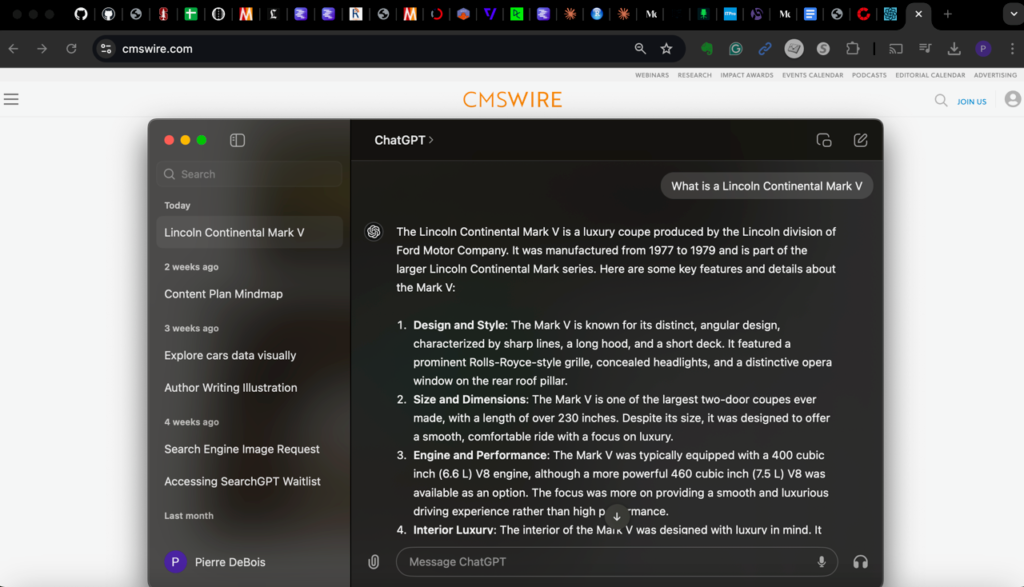
Screenshot
System Requirements
- Operating System: Windows 10 or Windows 11 (64-bit).
- Processor: Intel i3 or AMD equivalent (i5 recommended).
- RAM: 4GB minimum (8GB recommended for smoother multitasking).
- Storage: 200MB of free disk space.
- Internet: Stable connection required for AI processing.
FAQs
Does this version support GPT-4o?
Yes, it supports all the latest models available on your OpenAI account.
Can I use it without an internet connection?
No, the app requires a live connection to communicate with the servers.
Is my chat history synced with the mobile app?
Yes, your entire history is synced across all devices logged into the same account.
Does it support custom GPTs?
The desktop version fully supports the use of custom GPTs and specialized tools.
Will this slow down my computer?
The app is optimized to use fewer resources than a modern web browser tab.
Other Software You May Like
Candy Crush 9999 Lives 200 Moves Download
Neural Dsp Tim Henson Free Download
Download Information
- Software Name: ChatGPT Desktop 1.1.0
- Setup Type: Offline Installer / Full Standalone Setup
- Compatibility: Windows
- Developer: OpenAI
- License: Full | Preactivated
- File Size: 120 MB
- Download: Available on Mazterize
Summary
Mazterize Team Review: This desktop client provides a significant workflow boost for anyone relying on AI for daily tasks. The ability to pull up the interface with a quick shortcut saves more time than you might expect. It is stable, lean, and far more convenient than a browser tab. If you are serious about productivity and want a dedicated environment for your AI interactions, this is a mandatory installation.
Last Updated: 2026
ChatGPT Desktop 1.1.0 Free Full Activated
Download – 6.21 MB / v1.1.0


