Prequel Mod Apk

Retro and Y2K-style filters are everywhere on Instagram and TikTok right now, and most editing apps bolt on a handful of grainy overlays and call it a day. I use FotoJet Photo Editor for straightforward desktop graphic edits, but for that specific vintage, cinematic aesthetic people are chasing on mobile, it’s built for a completely different job.
Prequel is developed by Prequel Inc. (formerly Prisma Labs), and it’s a mobile photo and video editor built specifically around aesthetic filters, VHS and Lomo-style effects, film grain, and trendy presets, alongside more standard tools like cropping, exposure, and video trimming. I also keep Output Portal Presets for desktop color grading work, but Prequel’s mobile-first design means you can shoot, edit, and post without ever touching a computer.
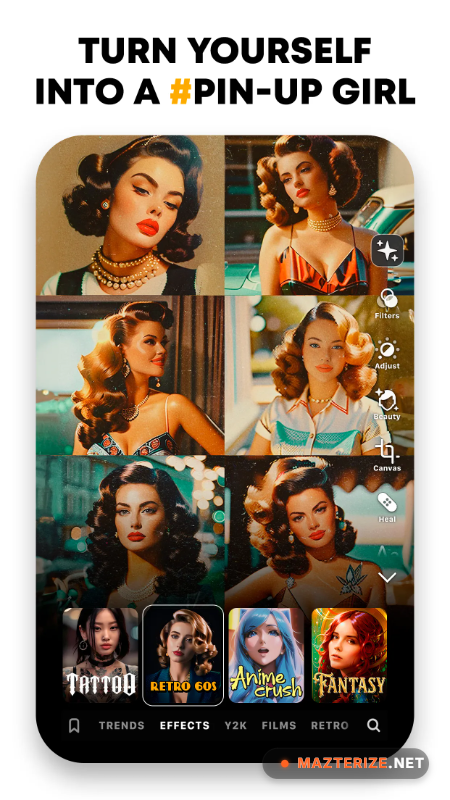
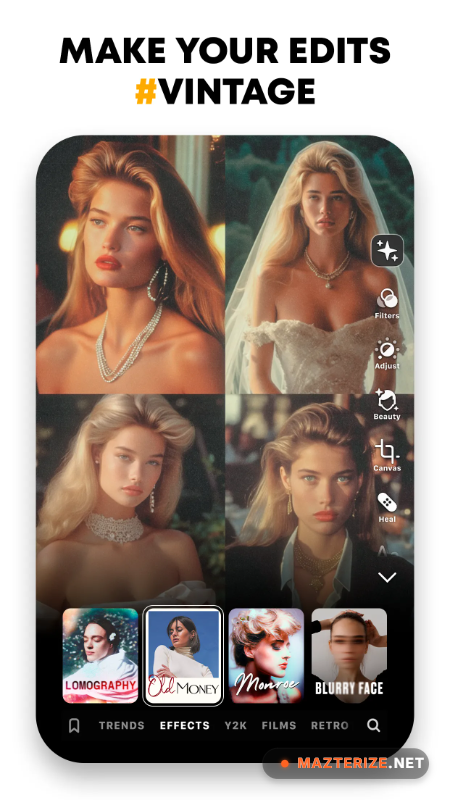
The filter and effects library is where Prequel spends most of its design effort. Categories run from summer and autumn tones to full vintage and modern styles, and effects like Grain, D3D, and Snapshot layer on top of filters for a more textured, analog-camera look. Video editing covers trimming, looping, speed adjustment, and motion effects, plus animated overlays and transitions built for short-form content like Reels and TikToks.
The app runs on a freemium model. A 3-day free trial gives full access to the template and preset library, after which continued access to premium filters and tools requires a GOLD subscription. Prequel states it doesn’t collect or sell personal user data, and most core editing tools remain usable without an internet connection once presets are downloaded.
Key Features
- Wide library of aesthetic filters: vintage, VHS, Y2K, Lomo, and Grain styles
- Video editing: trim, cut, loop, and apply motion effects
- Animated overlays and transitions for Reels, TikToks, and short vlogs
- AI-assisted background and editing tools
- 500+ resources including stickers, fonts, and templates
- Camera integration with real-time filter preview
- Fine-tuned adjustment controls for exposure, brightness, and sharpness
- Offline editing supported for most core tools
- Direct sharing to Instagram, TikTok, Facebook, and Messenger
ScreenShots
System Requirements
- Android 6.0 or later, or iOS 14 or later
- 2 GB RAM minimum
- 200 MB free storage for installation, plus space for downloaded presets
- Internet connection required for downloading new presets and templates
- Rear or front camera for direct in-app shooting
Why I Recommend
The template-following system is what makes this approachable for anyone without editing experience. Instead of starting from a blank timeline, you can follow a template other users have built, adjust it to your own footage, and get a polished result without needing to understand color grading or motion effects from scratch.
The offline editing support also matters more than it sounds like it should for a filter-heavy app. Once your presets are downloaded, you’re not dependent on a signal to keep working, which is genuinely useful if you’re editing content while traveling or somewhere with unreliable service.
If aesthetic mobile editing is your thing, it’s worth browsing our Photo Editing section for more tools that pair well with Prequel, particularly for cleaning up source photos before applying a heavier filter pass.
You May Also Like
Technical Details
- Developer: Prequel Inc.
- Version: 2.2.2
- Platforms: Android
- License: Mod
- Data policy: no sale of personal user data, per the developer’s stated privacy practices
Download Information
Download | Size: 116.38 MB | Pass: Mazterize.in