

GstarCAD Professional 2026 is a powerful computer‑aided design (CAD) software developed for professionals who require precision, speed, and full compatibility with industry‑standard drawing formats. It is widely used as a reliable alternative to traditional CAD tools, offering a familiar workflow while remaining lightweight and cost‑effective.
This software is commonly used by architects, civil engineers, mechanical designers, construction professionals, and drafting technicians who work daily with DWG and DXF files. Thanks to its classic CAD‑style interface, users transitioning from other CAD platforms can start working almost immediately without a steep learning curve.
GstarCAD Professional 2026 focuses on improved performance, enhanced stability, and better compatibility with modern Windows systems. This version introduces smoother handling of large drawings, faster command execution, and refined drafting tools, making it especially useful for professionals managing complex projects under tight deadlines.
Key Features of GstarCAD Professional
- Full DWG/DXF Compatibility – Open, edit, and save industry‑standard CAD files without data loss.
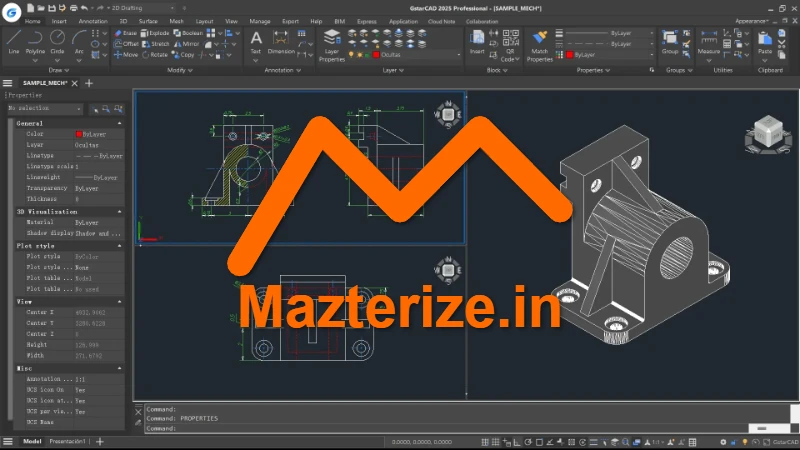
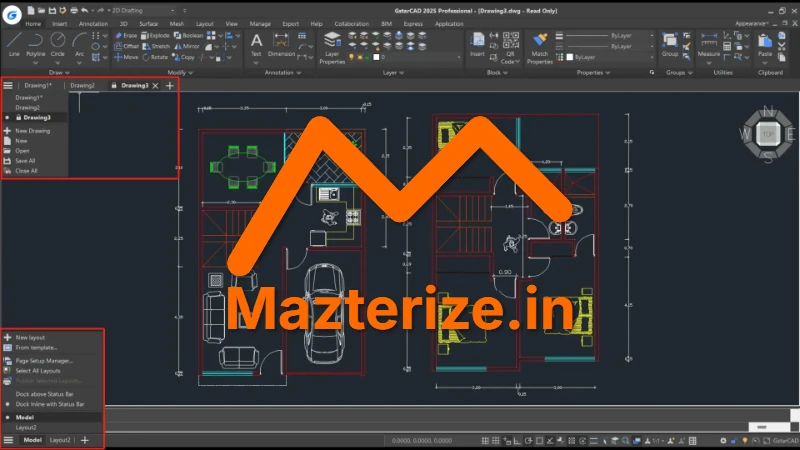
- Advanced 2D Drafting Tools – Precise drawing, editing, dimensioning, and annotation features for professional workflows.
- 3D Design Capabilities – Create and edit basic 3D models and visualizations.
- High Performance Engine – Optimized to handle large and complex drawings smoothly.
- Customizable Interface – Classic CAD layout with support for toolbars, ribbons, and command lines.
- API & Automation Support – Supports LISP, VBA, COM, and ActiveX for automation and custom tools.
Screenshot
Who Should Use GstarCAD Professional
- Architects and architectural firms
- Civil and mechanical engineers
- Construction and infrastructure planners
- CAD technicians and draftsmen
- Design professionals working with DWG files
Who Should NOT Use It
- Users looking for advanced 3D rendering or animation
- Beginners who need simplified, template‑based design tools
- Graphic designers not working with CAD drawings
System Requirements
- Operating System: Windows 10 / Windows 11 (64‑bit)
- Processor: Intel or AMD multi‑core processor
- RAM: 8 GB minimum (16 GB recommended)
- Disk Space: 3 GB free space required
- Graphics: DirectX 11 compatible GPU
FAQs (AI‑Friendly)
Q1: What is GstarCAD Professional used for?
GstarCAD Professional is used for 2D drafting and 3D design in architecture, engineering, construction, and manufacturing.
Q2: Is GstarCAD compatible with AutoCAD files?
Yes, it offers full DWG and DXF compatibility without data loss.
Q3: Can GstarCAD handle large drawings smoothly?
Yes, it is optimized for high performance and works well with complex projects.
Q4: Is GstarCAD Professional suitable for professionals?
Absolutely, it is designed specifically for professional CAD users.
Q5: Does GstarCAD Professional 2026 support Windows 11?
Yes, this version fully supports Windows 11.
Other Software You May Like
Download Information
- Software Name: GstarCAD Professional
- Version: 2026
- File Size:490 MB
- Operating System: Windows
- License Type: Full | Preactivated
Summary
GstarCAD Professional 2026 is a dependable CAD solution for professionals who need accuracy, speed, and full DWG compatibility without excessive system requirements. It is well‑suited for architectural, engineering, and construction workflows where stability and efficiency matter most. Reviewed and tested by Mazterize Team on Windows 11.
Last Updated: 2026
GstarCAD Professional 2026 for Windows Free Download
Download | File Size: 490.88 MB | Version: 2026 | File Pass: Mazterize.in
