
FL Studio 20.8.3.2304 for macOS remains one of the most stable and widely used builds of Image-Line’s popular digital audio workstation. Even in 2026, many producers continue to prefer this version because of its smooth workflow, lightweight performance, and strong compatibility with both Intel and Apple Silicon Macs.
This build includes support for the FLEX instrument system, giving users access to a large collection of built-in presets and expansion sounds. Whether you’re producing trap beats, cinematic scores, EDM, or vocal recordings, FL Studio 20.8.3 delivers a balanced combination of creative tools and efficient system usage.
For Mac users who value reliability over constant interface changes, this version offers a familiar production environment while remaining compatible with modern macOS releases. Below, we’ll cover its main features, system requirements, and who should consider using it in 2026.
What’s Notable in v20.8.3.2304
- Improved Apple Silicon Compatibility – Stable performance on M1, M2, M3, and newer chips via native and Rosetta support.
- FLEX Instrument Integration – Access to a wide range of built-in sound packs and preset libraries.
- Frequency Splitter Plugin – Split audio into bands for detailed mixing control.
- Enhanced Stability – Improved plugin handling and reduced crash reports compared to early 20.x builds.
- VST3 & AU Support – Full compatibility with modern third-party plugins.
Key Features of FL Studio for Mac
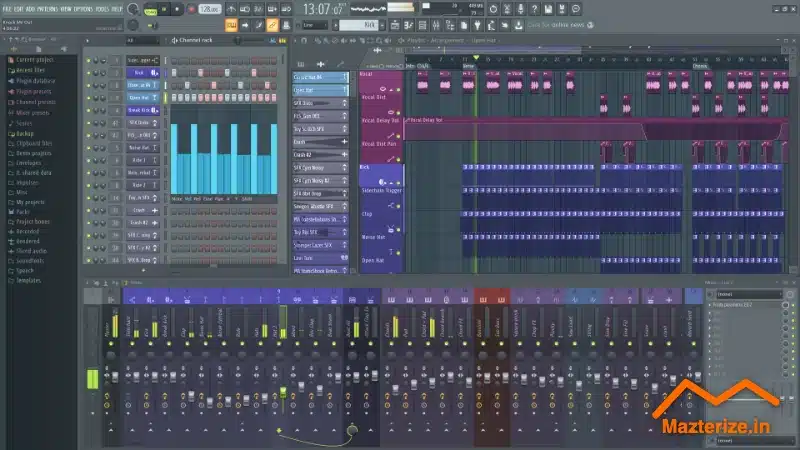
- Step Sequencer – Fast and intuitive drum programming workflow.
- Advanced Piano Roll – Detailed MIDI editing with powerful quantization and automation tools.
- Professional Mixer – Routing, sidechaining, and real-time effects processing.
- Multi-track Recording – Record vocals and instruments directly into your project.
- Automation Clips – Precise control over volume, effects, and plugin parameters.
- Retina Display Support – Optimized UI scaling for MacBook and iMac displays.
ScreenShots
Who Should Use This Version?
Ideal For:
- Producers who prefer the classic FL Studio interface
- Beat makers working with FLEX presets
- Mac users needing a stable, tested 20.x build
- Musicians running older project files
Not Ideal For:
- Users who require the newest experimental features from the latest major release
- Producers heavily dependent on cloud-based collaboration tools
System Requirements
- Operating System: macOS 10.13 High Sierra or later
- Processor: Intel Core i5 or Apple Silicon (M1/M2/M3)
- RAM: 4 GB minimum (8 GB+ recommended)
- Storage: At least 2 GB for installation (additional space required for sound libraries)
- Display: 1280×800 resolution or higher
FAQs
1. Is FL Studio 20.8.3 compatible with Apple Silicon?
Yes. It runs on Apple Silicon Macs either natively or through Rosetta, depending on configuration and plugin compatibility.
2. Does this version support older FLP project files?
Yes. FL Studio maintains strong backward compatibility, allowing you to open projects created in earlier 20.x versions.
3. Are FLEX sound packs included?
FLEX comes with a selection of built-in presets. Additional official packs may require an Image-Line account.
Summary
FL Studio v20.8.3.2304 continues to be a dependable production environment for macOS users in 2026. Its balance of performance, familiar workflow, and FLEX instrument integration makes it a solid option for beat makers, recording artists, and composers alike. If you prefer stability and proven tools over frequent interface changes, this version remains a practical choice.
FL Studio 20.8.3.1574 for Mac Free Download
Download | Size: 7.22 GB | File Pass: Mazterize.in